


If you'd like to get rid of Netflix playback limits, a dedicated Netflix video downloader is the ideal solution. It also allows you to permanently save your favorite movies and shows, ensuring they never disappear from the service. This is where CleverGet Netflix Downloader comes in.
But is it worth it? In this review, we'll take a deep dive into CleverGet's key features, including its ability to download content in high quality (up to 1080p), pricing, user feedback, etc. We'll also compare it with StreamUlt Netflix Video Downloader to help you decide which tool best fits your needs.
Part 1. What Is CleverGet Netflix Downloader?
CleverGet is a versatile video downloader from Leawo, a company well-known for its multimedia software. In this review, we'll focus specifically on CleverGet Netflix Downloader, a tool for both Mac and Windows that enables you to save Netflix movies and TV shows as unprotected MP4 or MKV files, preserving high video quality (up to 1080p) as well as multiple audio and subtitle languages. You can keep all Netflix downloads forever, move them to any device, and watch them without needing an internet connection, the Netflix subscription, or the Netflix app.
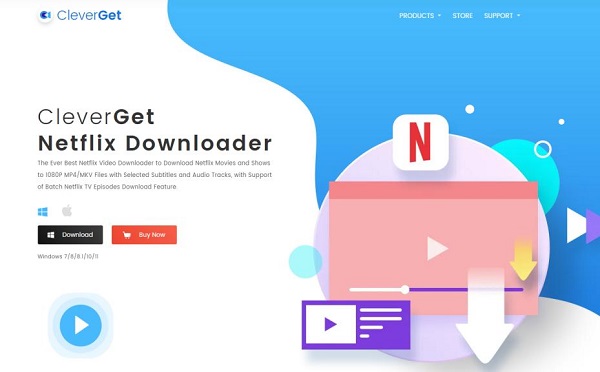
Key Features of CleverGet Netflix Video Downloader
- High-Quality Downloads: Download Netflix content in stunning 720p or 1080p resolution, ensuring you get a crisp, clear viewing experience offline.
- Multi-Language Subtitles and Audio: CleverGet can save subtitles and audio tracks in multiple languages, making it easy to watch Netflix content with captions or in your preferred language.
- Efficient Batch Downloading: The software can detect all Netflix episodes and add them to a queue for convenience. It saves time by downloading an entire season or multiple videos at once. This is ideal for quickly building your offline library.
- Universal MP4/MKV Formats: The Netflix videos are saved in the widely supported MP4 or MKV formats. It makes them universally compatible with computers, smartphones, tablets, and media players.
- Flexible Subtitle Options: You can extract subtitles into SUP or SRT formats, giving you the flexibility to turn them on or off and switch between them during playback.
- Ad-Free Playback: If you have a Netflix plan with ads, CleverGet will automatically remove the advertisements from your downloaded Netflix files, providing an uninterrupted viewing experience.
- Pros
- Customer-centered support;
- Batch downloading;
- Multi-language subtitles;
- Supports MP4/MKV video formats
- Cons
- Frequent download failures;
- Questionable download speeds;
- Free trial requires registration;
- Can't output 4K
Part 2. CleverGet Netflix Video Downloader Pricing and Free Trial
CleverGet Netflix Downloader offers both a free trial and paid subscription plans. The free trial allows you to test the software and allows you to download up to three videos, each limited to a maximum of three minutes. To unlock full features, including batch processing and high-speed downloads, you will need to purchase one of their subscription plans. CleverGet offers 2 subscription plans, as follows:
| Plans | Price | Key Features |
|---|---|---|
| 1-Year Plan | $59.95 | 1 License for 1 PC; All Features for 1 Year; Free Updates; 5 Days Money Refund; Cancel Anytime |
| Lifetime Plan | $89.95 | 1 License for 1 PC; All Features for Lifetime; Free Updates; 14 Days Money Refund; Cancel Anytime |
However, one potential drawback of CleverGet is the lack of a monthly plan, which may be a barrier for users who only need to download a few videos. In this case, a competitor like StreamUlt Netflix Video Downloader could be a more cost-effective option, as it offers a monthly subscription with similar features.
Part 3. How to Use CleverGet Netflix Downloader
In this section, we'll share our firsthand experience to provide a complete user guide of CleverGet Netflix Video Downloader. To get started, you'll need to visit CleverGet's official website to download and install the software on your Mac or Windows PC.
How to Use CleverGet to Download Netflix Videos
Step 1 Log in to Your Netflix Account within CleverGet
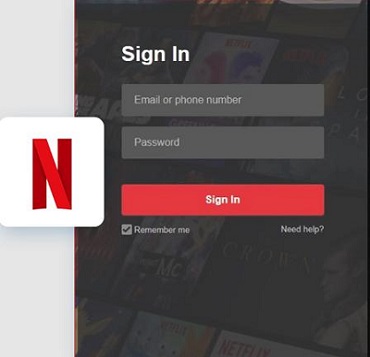
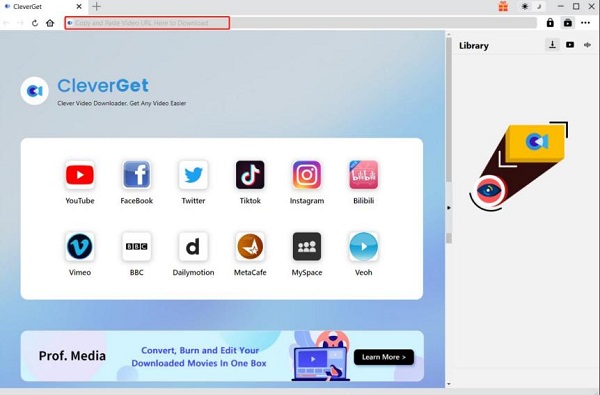
Once the software is installed, launch it, click on the Netflix icon, and sign in to your Netflix account using your Netflix credentials. After that, you can register for a CleverGet account within the CleverGet software.
Step 2 Setup the Output Directory
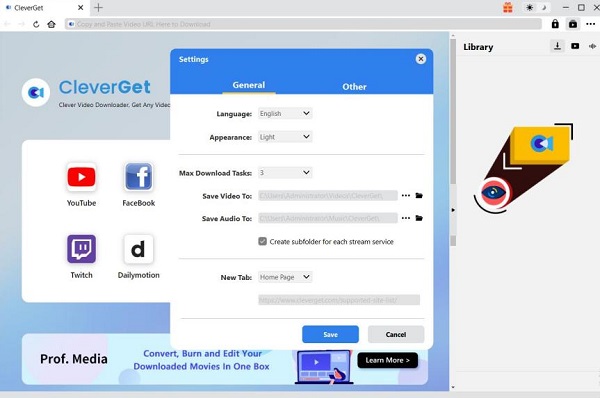
Click the three-dot icon in the upper-right corner and select Settings. Under the General panel, you can set up the output directory for the downloaded videos and the audio.
Step 3 Search the Netflix Video
Find the video you want to download on Netflix. Use the built-in search feature or copy the URL of the video and paste it into CleverGet's input box.
Step 4 Choose the Netflix Download Settings
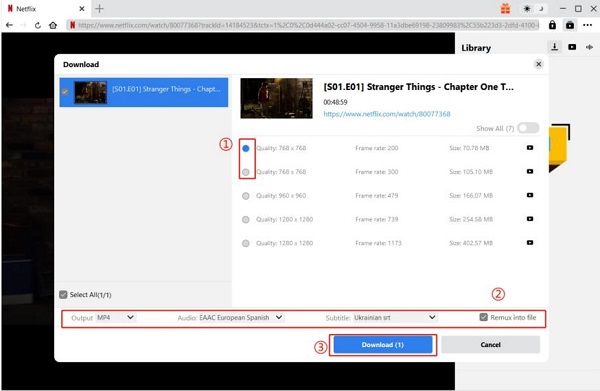
Choose the episodes you want and select your desired download format (MP4 or MKV), video quality, and subtitle preferences. After that, click the download button.
Step 5 Start Downloading Netflix Videos with CleverGet
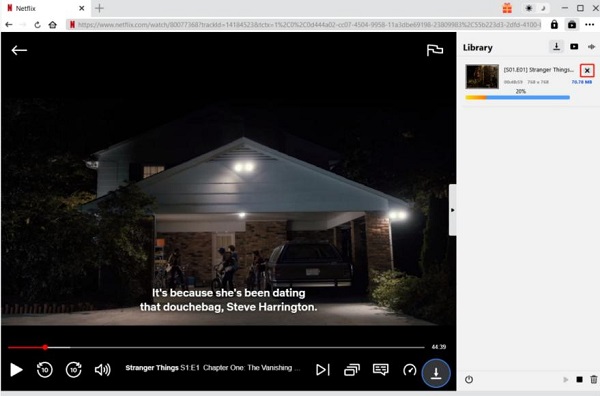
CleverGet Netflix Downloader will start saving the Netflix video to your computer (the download speed is not very fast, as a 2-hour movie can take up to 30 minutes to download.)
The Reality Check: Is CleverGet True 1080p Video Quality?
CleverGet Netflix Video Downloader does download files in a 1080p resolution. However, the final file sizes are smaller than expected. This suggests that the software applies heavy video compression, which could result in a slight loss of visual quality compared to the original Netflix stream. For most viewers, the quality is excellent, but videophiles might notice a difference.
Part 4. Users Review of CleverGet Netflix Downloader
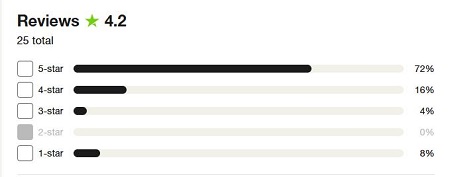
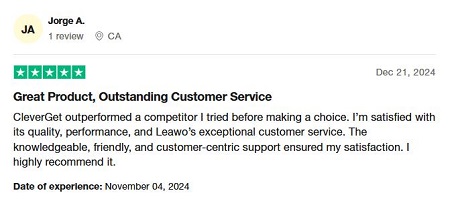
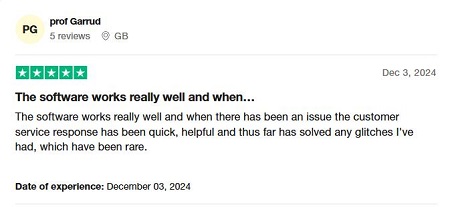
According to user reviews on Trustpilot, CleverGet has a strong overall rating of 4.7 out of 5.0. An overwhelming 91% of the 66 reviews are 4 stars or higher, indicating a high level of user satisfaction, while 6% of users have given it a one-star rating.
Positive Customer Reviews:
Several users have mentioned that CleverGet's customer service is excellent, saying that the customer service response and support are very knowledgeable, friendly, customer-centered, and quick. This shows that CleverGet can provide users with timely and on-point support when experiencing difficulties or doubts.
Negative Customer Reviews:
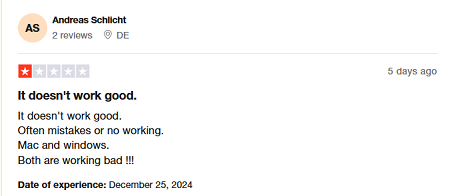
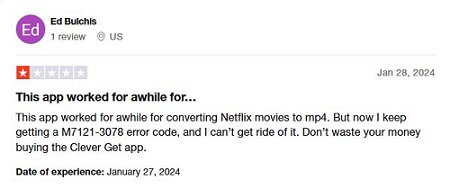
Some users have given low ratings because the reported download failures and issues are often accompanied by error codes. This also shows that CleverGet Netflix Downloader's system is unstable, and there may be frequent technical errors as well.
Part 5. Top Alternative to CleverGet Netflix Downloader
While the CleverGet Video Netflix Downloader is feature-rich, it may not be the best choice for everyone due to reported technical issues and the absence of a monthly subscription plan. This can be a high barrier for users who only need to download Netflix content occasionally. For a more reliable alternative that offers a monthly plan and similar features, the StreamUlt Netflix Video Downloader could be a better fit.
Why StreamUlt Netflix Video Downloader Is Better:
- High-Quality Downloads: StreamUlt preserves the original video quality, allowing you to download content in stunning 4K Ultra HD and with HDR support for a truly premium offline viewing experience.
- Flexible and Affordable Pricing: Starting at just $39.95 per month, StreamUlt is a more accessible option than many competitors.
- Immersive Audio and Subtitles: Beyond just retaining multilingual audio and subtitles, StreamUlt goes a step further by preserving 5.1 surround sound, ensuring an immersive, high-fidelity audio experience that matches the original stream.
- Smooth and Reliable Download Process: It provides a smooth, fast download experience with minimal technical issues. The software features a user-friendly interface and a built-in web player, which helps avoid common download errors and makes the entire process seamless from start to finish.
Comparison between CleverGet and StreamUlt Netflix Video Downloader
| Features | CleverGet Netflix Downloader | StreamUlt Netflix Downloader |
|---|---|---|
| Max Video Quality | 1080p | 4K |
| Download Speed | Moderate | Fast |
| Price | $59.95/year; $89.95/lifetime |
$49.95/year; $89.95/lifetime |
| Subtitles Options | Internal/External | Internal/External/Embedded |
| Video Output Formats | MP4/MKV | MP4/MKV |
| Dolby Atmos 5.1 Surround Sound | × | √ |
| Multilingual Subtitles and Audio Tracks | √ | √ |
| No Ads | √ | √ |
| Trial Limits | Up to 3 downloads | Up to five minutes of each video |
| Built-in Netflix Web Player | √ | √ |
| Refund Policy | 5 days / 14 days | 14 days / 30 days |
Part 6. FAQs about CleverGet Netflix Downloader
Q1. Can I use CleverGet Netflix Downloader crack?
A1. Using a CleverGet Netflix Downloader crack is not recommended. Cracked versions are illegal, can harm your computer, and often don't offer the full features of the legitimate version. It's always best to use the official version for safety and reliability.
Q2. Is it safe to use CleverGet Netflix Downloader?
A2. Yes, CleverGet is safe to use if downloaded from the official site. It does not include any viruses or malware. Additionally, CleverGet enables safe SSL connections and doesn't save your login information. Most essential, as a user, you should not share or distribute downloaded Netflix videos in case you breach Netflix's terms of service.
Q3. Is CleverGet Netflix Downloader free?
A3. CleverGet provides a free trial, but it has limitations and the full version requires a paid subscription. The free trial only allows you to download three videos, each with the first three minutes, so you'll need to buy a license to gain full access.
Q4. Why is CleverGet Netflix Downloader not working?
A4. CleverGet Netflix Video Downloader may stop working due to outdated software, network issues, changes to Netflix, account restrictions, or temporary compatibility problems. You can try updating CleverGet to the latest version, checking your internet connection and Netflix account, and restarting the software. If the problem persists, check the error message or contact CleverGet support for help.
Q5. How to fix CleverGet Netflix Downloader shows Error Code 0x007 / 'Failed to parse video URL'?
A5. Clear the cache of the CleverGet's built-in browser (go to Settings > Clear Cache). Ensure that your version of CleverGet Netflix Downloader is updated to the latest release available on the official website. Try logging out and logging back into your Netflix account via the web interface to refresh your cookies.
Q6. How to fix CleverGet Netflix Downloader shows Error Code 302 / Download progress stuck at 0%?
A6. Reduce the 'Maximum Concurrent Download Tasks' setting in the software (setting it to 1 is recommended to avoid simultaneous multi-threaded requests). Stop using public VPN nodes; switch to a more stable local network or a dedicated proxy.
Q7. Is Clever Netflix downloader available for Android and iOS?
A7. No, CleverGet Netflix Downloader is not available for Android or iOS. It is a desktop software designed specifically to run on computers with Windows and macOS operating systems.
Part 7. In Conclusion
CleverGet Netflix Downloader is a powerful and easy-to-use tool that successfully delivers on its promise. It saves Netflix videos as permanent, high-quality files on your computer. But it may not be the ideal choice for every user. For those seeking a more reliable alternative with a broader range of features, such as enhanced audio support and more flexible pricing, we recommend considering StreamUlt Netflix Video Downloader.
You May Be Interested




Alex Mercer, a multimedia expert at StreamUlt, specializes in streaming video conversion, tips, and troubleshooting, providing innovative solutions to simplify digital life.




Leave a Comment (0)